Sony House Design Language: Handheld Remote Camera Shutter
A single-control camera remote inspired by Sony's modern design language
Role: Product Designer
|
Duration: 4 Weeks
|
Tools: Clay & Foam Modelling
|
Context: University Project
|
Role: Product Designer | Duration: 4 Weeks | Tools: Clay & Foam Modelling | Context: University Project |
Project Overview
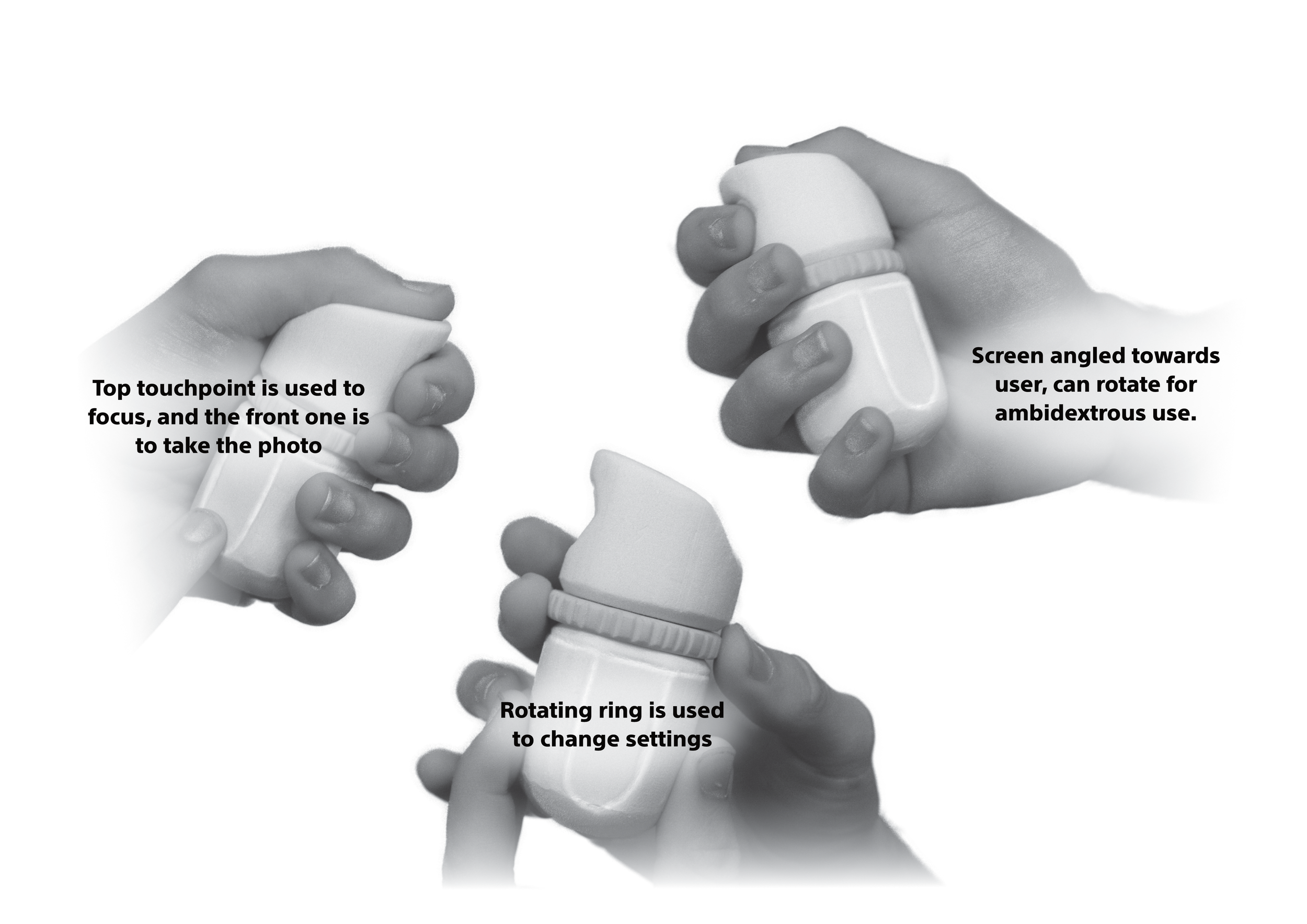
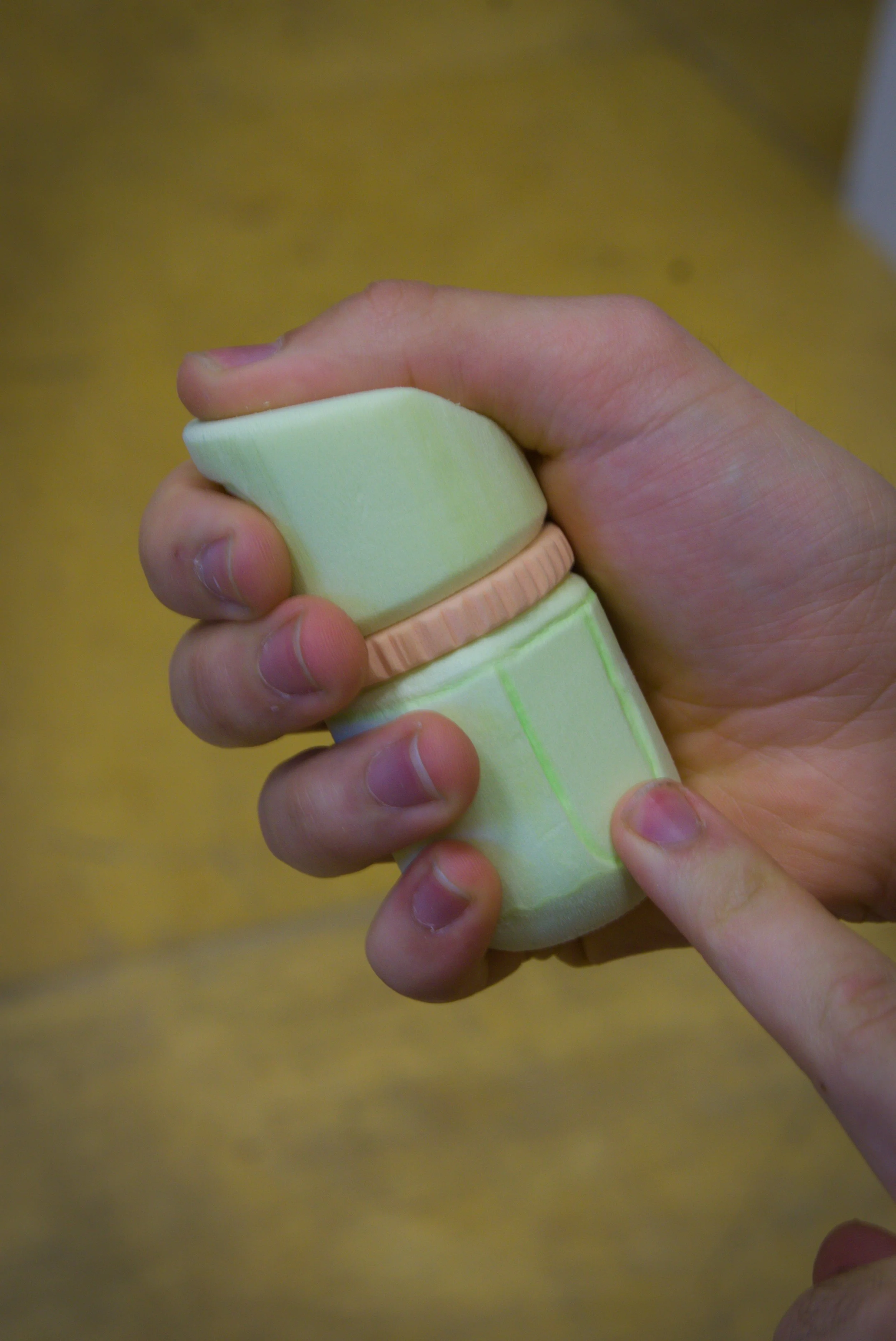
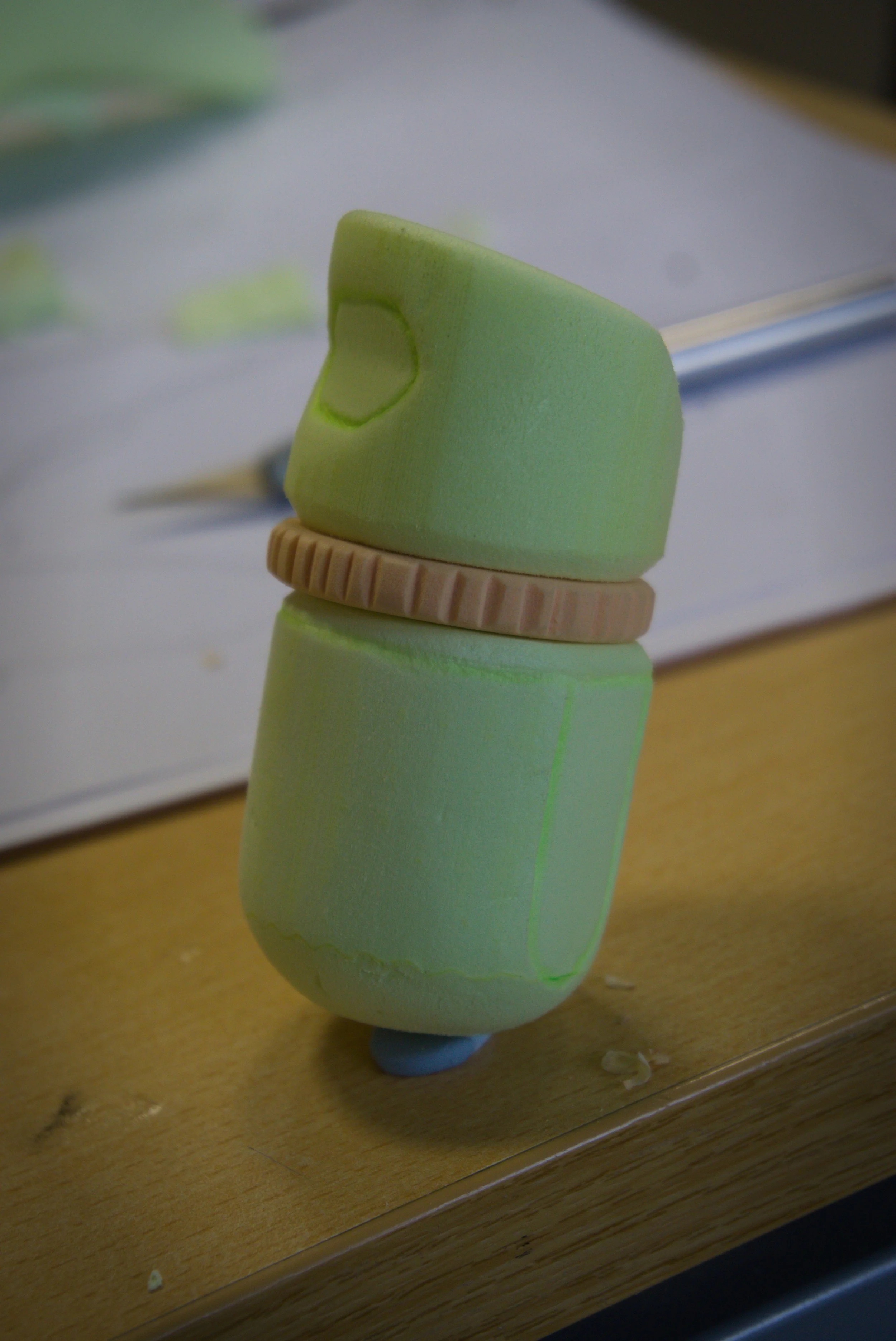
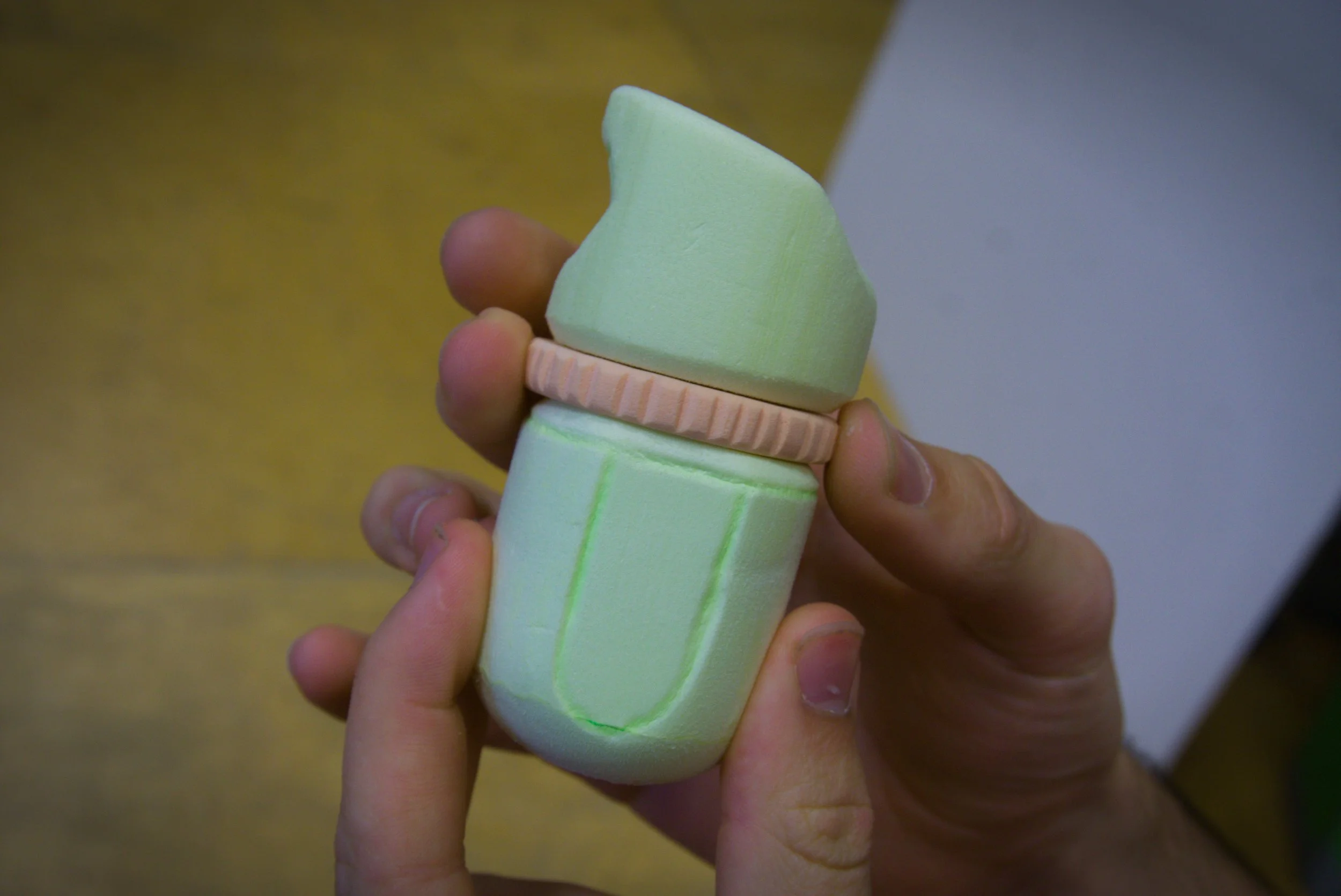
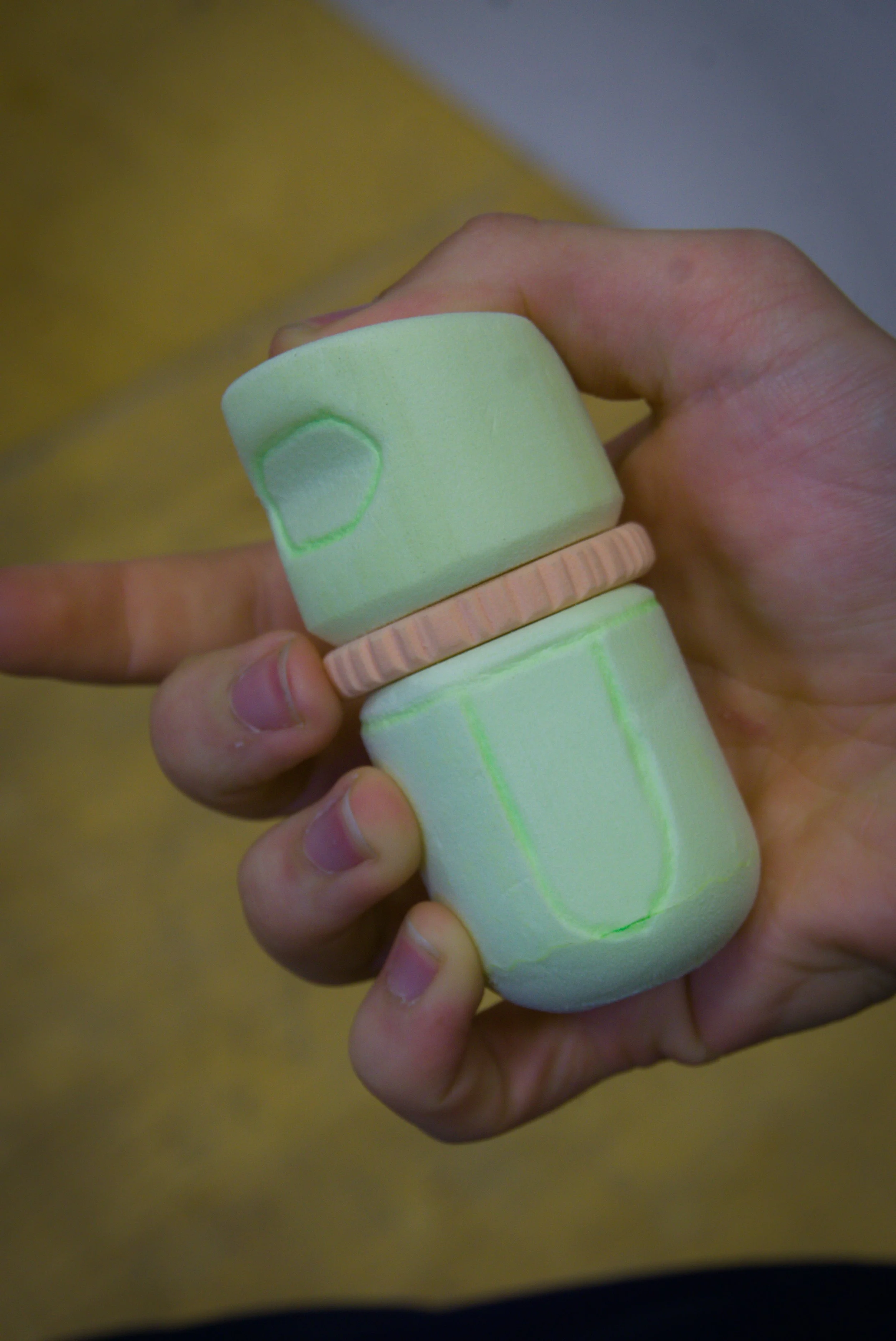
This was a four-week studio project for Design Studio 5, where the brief was to refine a product form by shaping its interaction touchpoints, so that the product is attractive and functional to use and its form suggests how it should be held and operated. Our group was assigned Sony and I researched the 2013 to present era, which became the era of focus for our group. The result is a handheld remote camera shutter that replaces a row of buttons with one rotating, clickable ring, with a thumb touchpoint on top, a shutter touchpoint on the front, and a screen that angles towards the user and can be rotated for either hand.
Exploration/Discovery
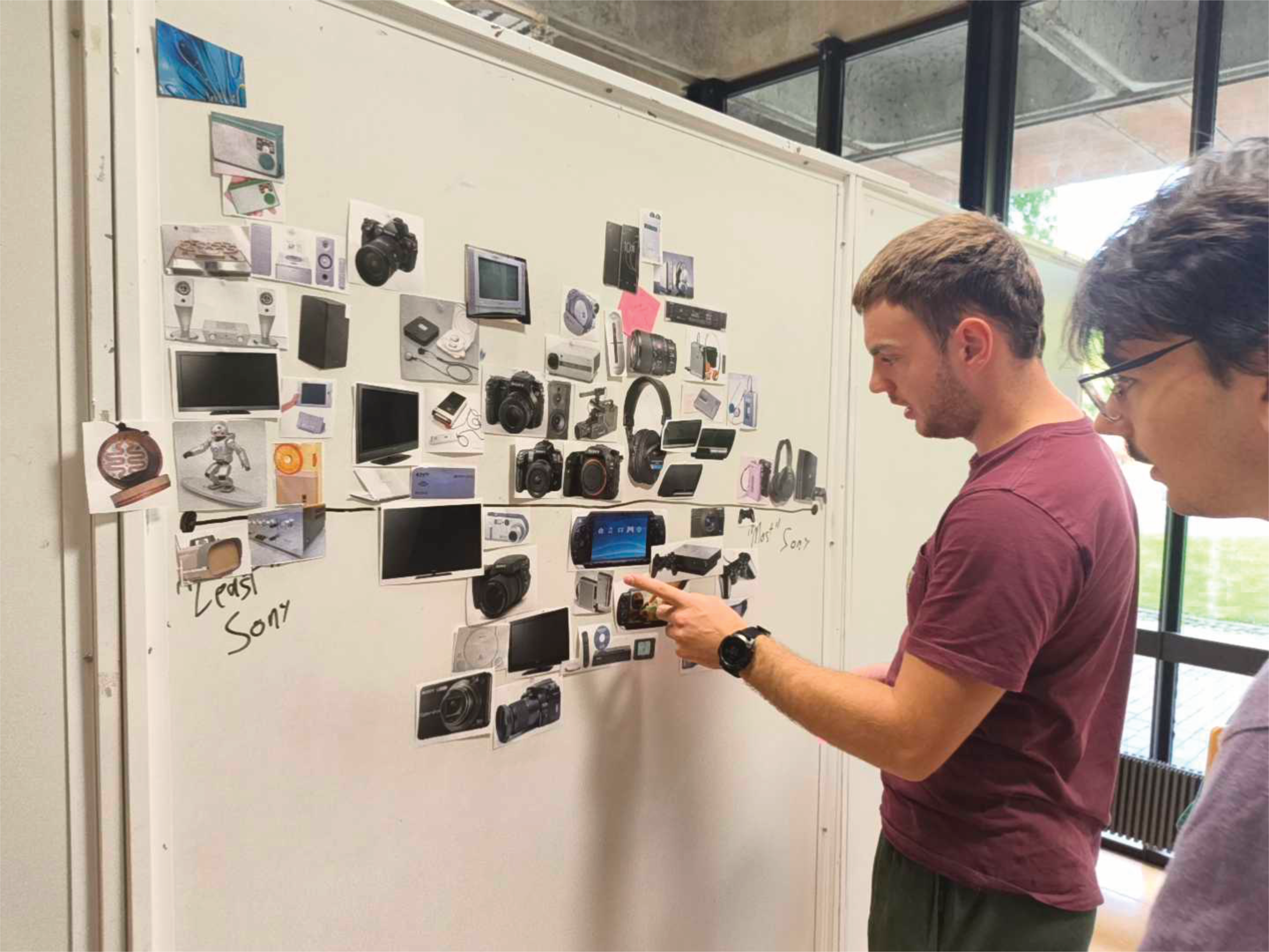
I started with Sony's history, from the TR-63 transistor radio and the Walkman through to the PlayStation, because each of them takes complicated technology and makes it small, simple and built around how people actually use it. As a group we split that history into eras, each made a page of the most prominent products from ours, and then pinned everything on the wall and arranged it along a line from "Least Sony" to "Most Sony", arguing over each placement until we could say why a product felt like Sony instead of just pointing at it. The products at the Most Sony end had dark, restrained bodies, precise geometry and a few carefully placed details, and from those we narrowed our observations to six keywords: Contrasting Finishes, Contemporary Futurism, Minimalistic, Monochromatic Colour Palette, User-Empowering Innovation and Lofted Geometric Forms. I took Contrasting Finishes and built a style board of close-up material junctions, such as brushed metal against wood, matte black beside polished surfaces and a fine metallic accent against dark plastic, which I carried into the final design as a metal ring against a dark body.
Design Process
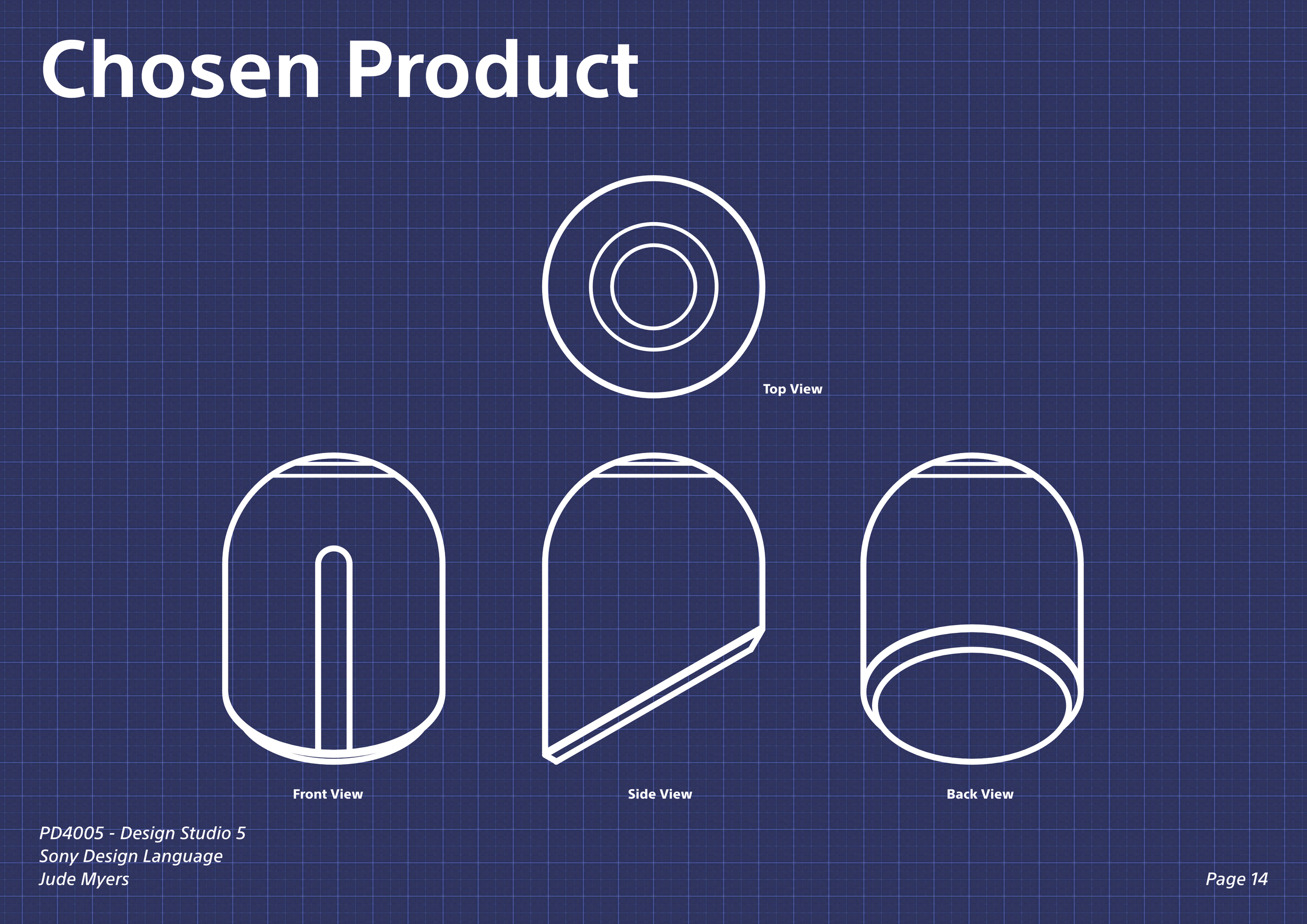
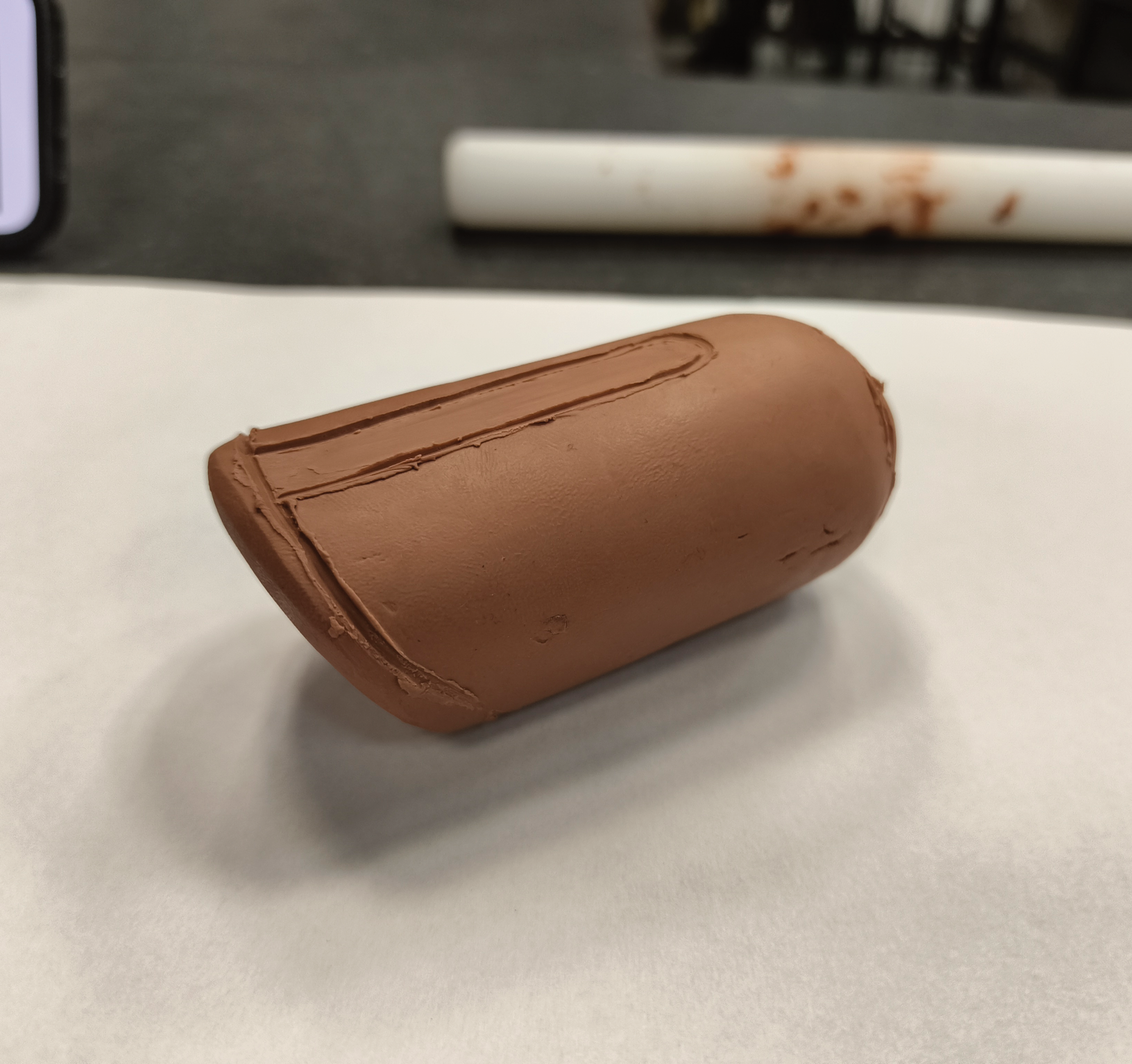
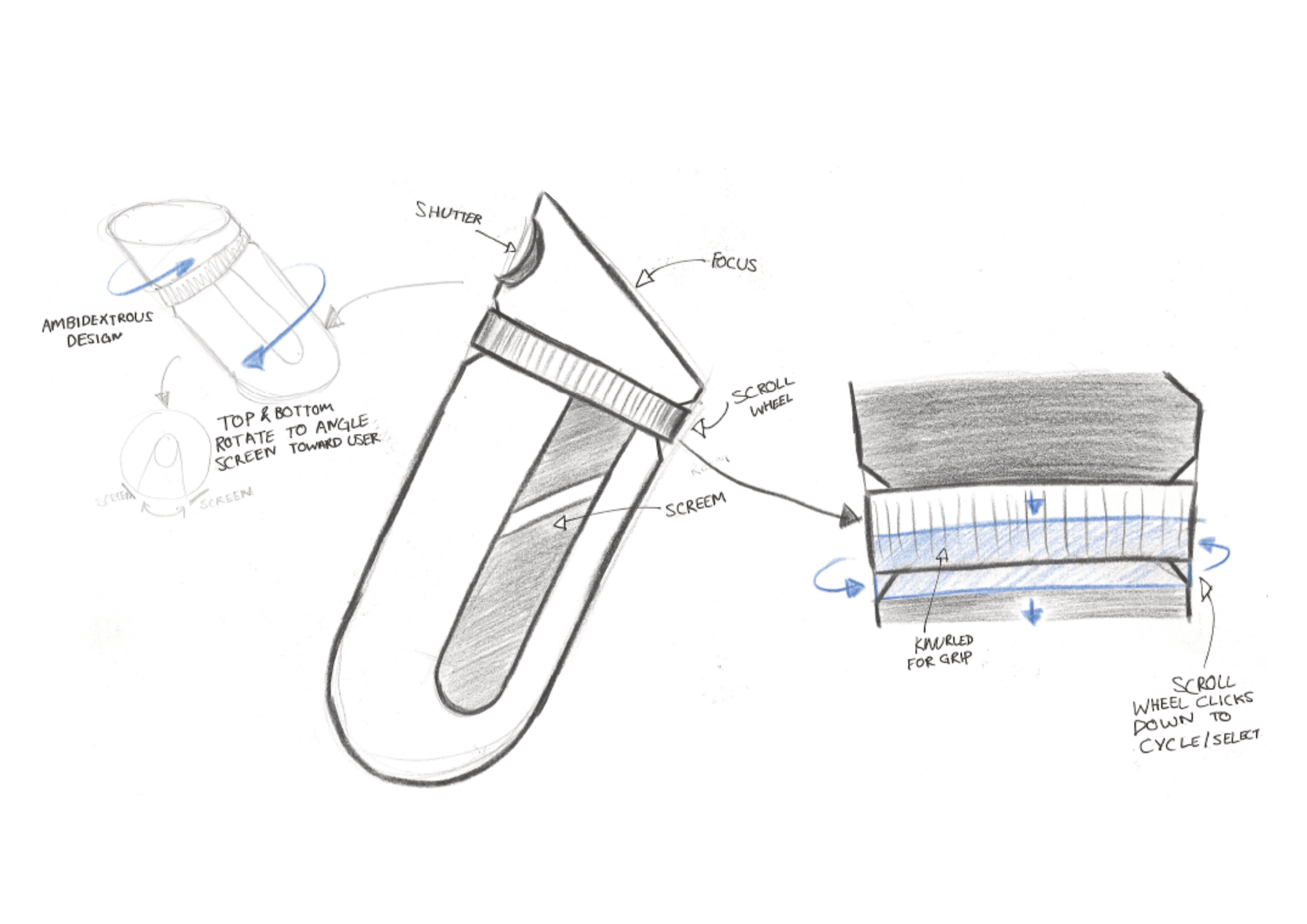
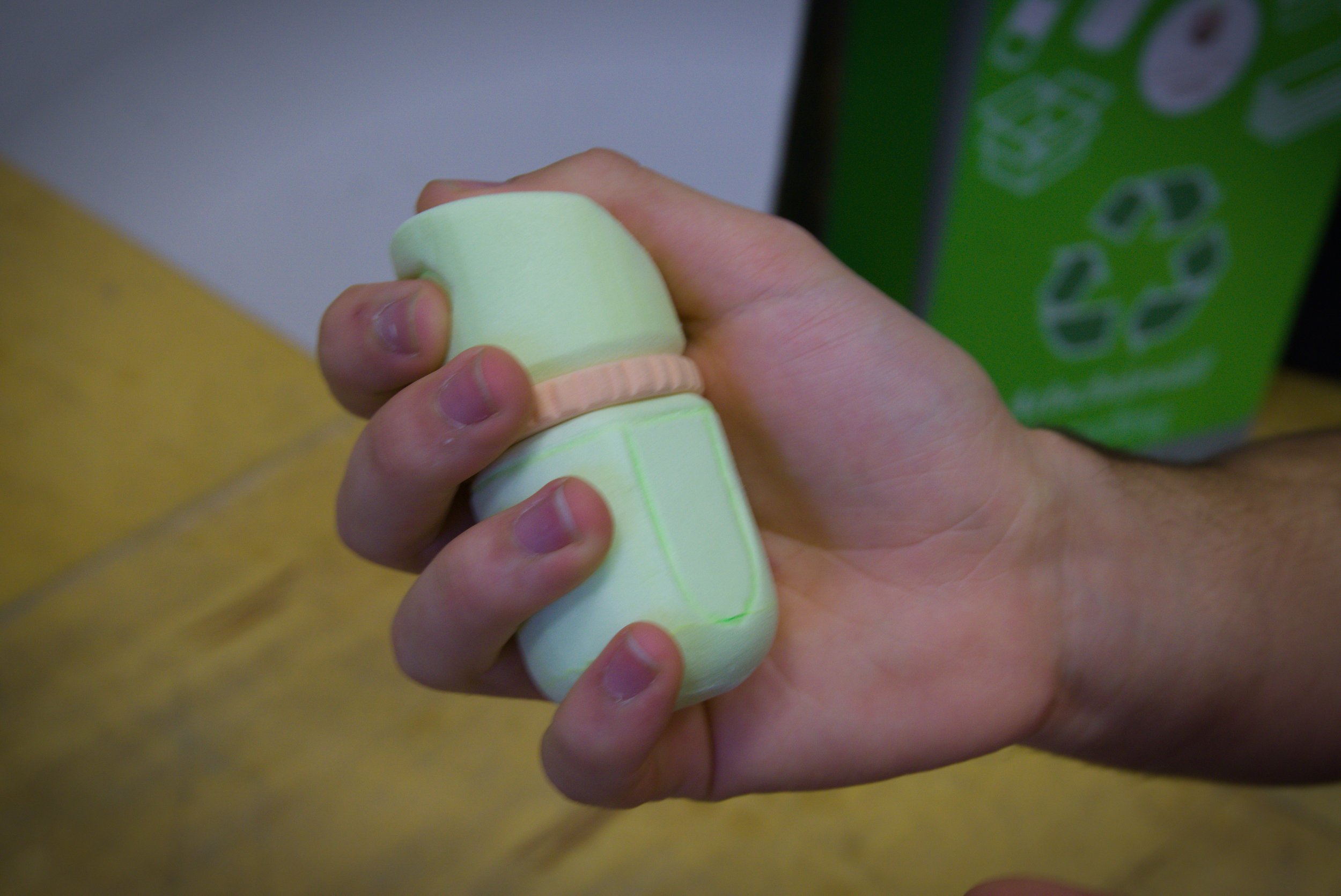
I was given a drawing of a rounded, capsule-shaped object, and I started by replicating it in clay as accurately as I could, then used that model to explore what the form could become. Holding it showed me that it worked as a handheld device, that the thumb rests naturally on a smoothed, domed top, and that the index finger falls into a recess without any effort, and at that point I decided it should be a remote camera shutter since that suited both the form and Sony's own product line. I sketched where focus and shutter could sit and what a screen could show, then moved into foam, which let me cut a model quickly and hold several at once. I ended up with five, starting from a plain cylinder to test diameter and length, then a shorter and wider version, then versions where I marked where my fingers fell and sanded grooves to match. Flipping the form upside-down turned out to be far more comfortable, and a larger copy let me bracket the proportions. I picked the middle-sized model with the angled top and domed bottom because it gave the best comfort in the hand and the clearest place for the controls. Refinement sketching then added a knurled ring that rotates and clicks down, a screen that can swing round for left or right hand use, a textured grip similar to Sony's cameras, a coin-opening battery door and a smooth base so the device can stand on a surface.
Final Design
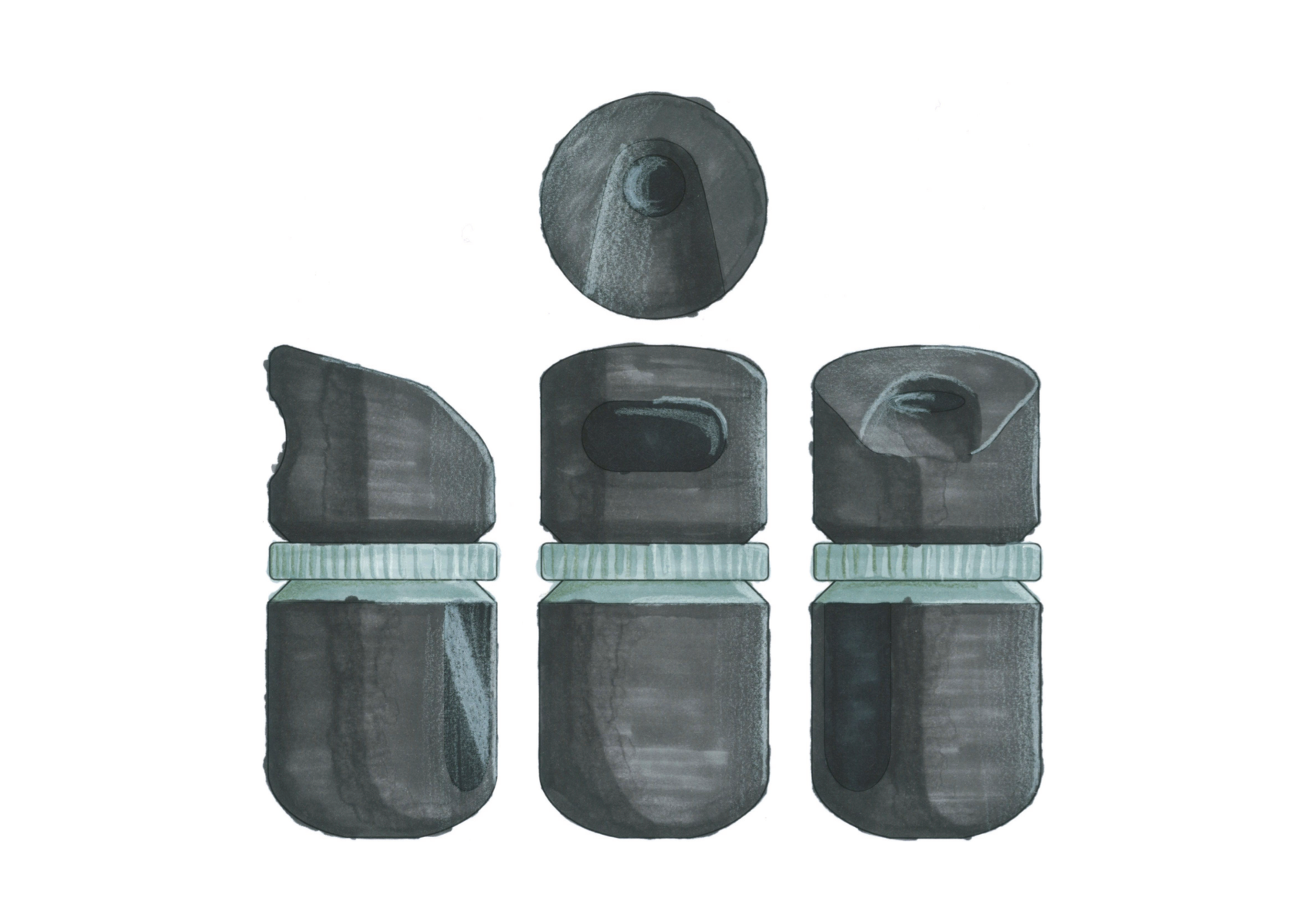
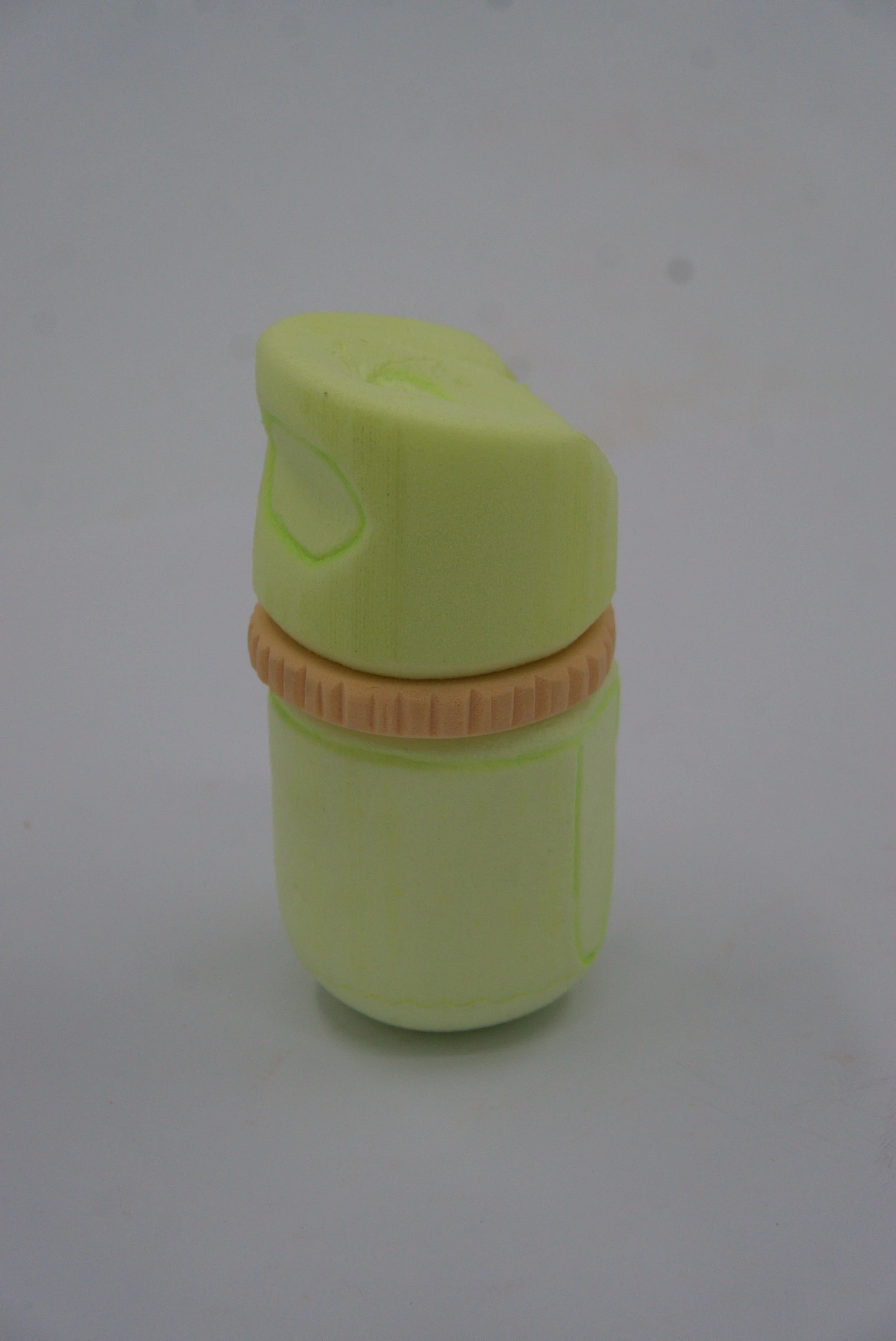
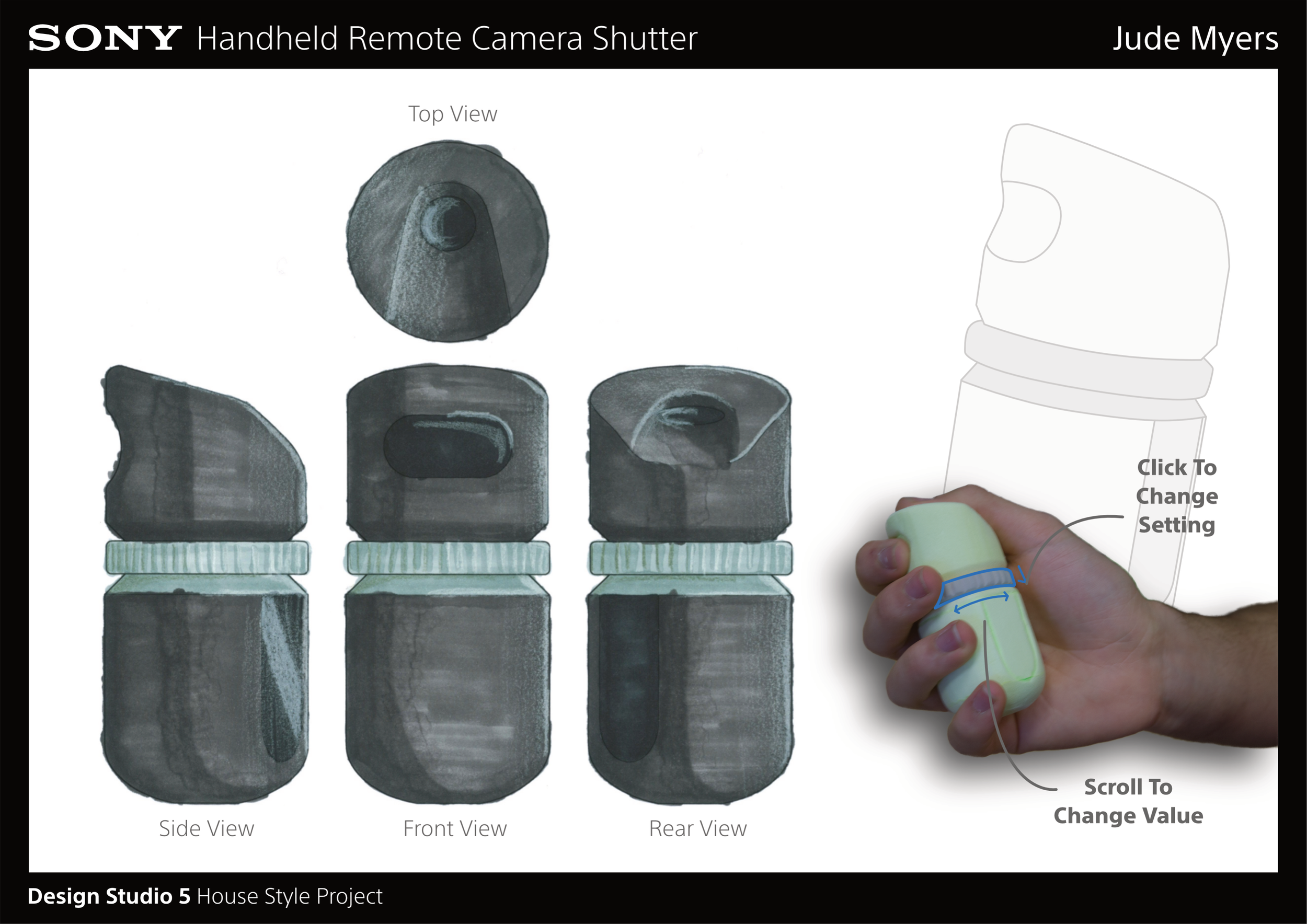
The final model started as a cylinder cut from a foam block, with the angle cut into the top, the thumb recess marked at the centre, and a flat plane added for the screen with a chamfer around the top edge. I split the body at the ring position and made the ring as a separate disc, drilled out the centre and filed a knurled edge into it, then joined the three pieces with a wooden dowel so they can rotate against each other. Top touchpoint focuses, the front one takes the photo, and the ring does everything else, pressing to cycle through camera settings and turning to change the value, which puts the main control exactly where your fingers already sit so you can use it without looking at it. The screen is angled towards the user and can be rotated for ambidextrous use. I rendered the top, front, side and rear views in marker, with a dark body and an aluminium ring so the one moving part stands out, and presented it on a black title bar board with the Sony wordmark following the house style.
Impact & Reflection
The clay model was the hardest part of this project for me, since I couldn't get the surfaces smooth and struggled to keep it even and true to the drawing, and I should have started it earlier and used better tools to finish it. Foam was much easier because I could cut a model fast and have a few in my hand at once, and it taught me that size matters far more than I expected, with the very wide short model and the very large one both feeling wrong, which I only found out by holding them. Later models got simpler as I took detail off to make them easier to hold and quicker to iterate. For the final design I wanted one control instead of a load of buttons, and I think it fits the Sony style fairly well, since it is minimal and the ring and the rotating screen are the user-empowering part, though Contemporary Futurism is the weakest keyword because it looks like something Sony could make today rather than something ahead of it. At the group exhibition, with every model, sketch sheet and board laid out together, the feedback on my design was mostly positive. Next time I would take photos and write notes as I go, test with more people, and try more experimental shapes in clay.